
Goal analytics
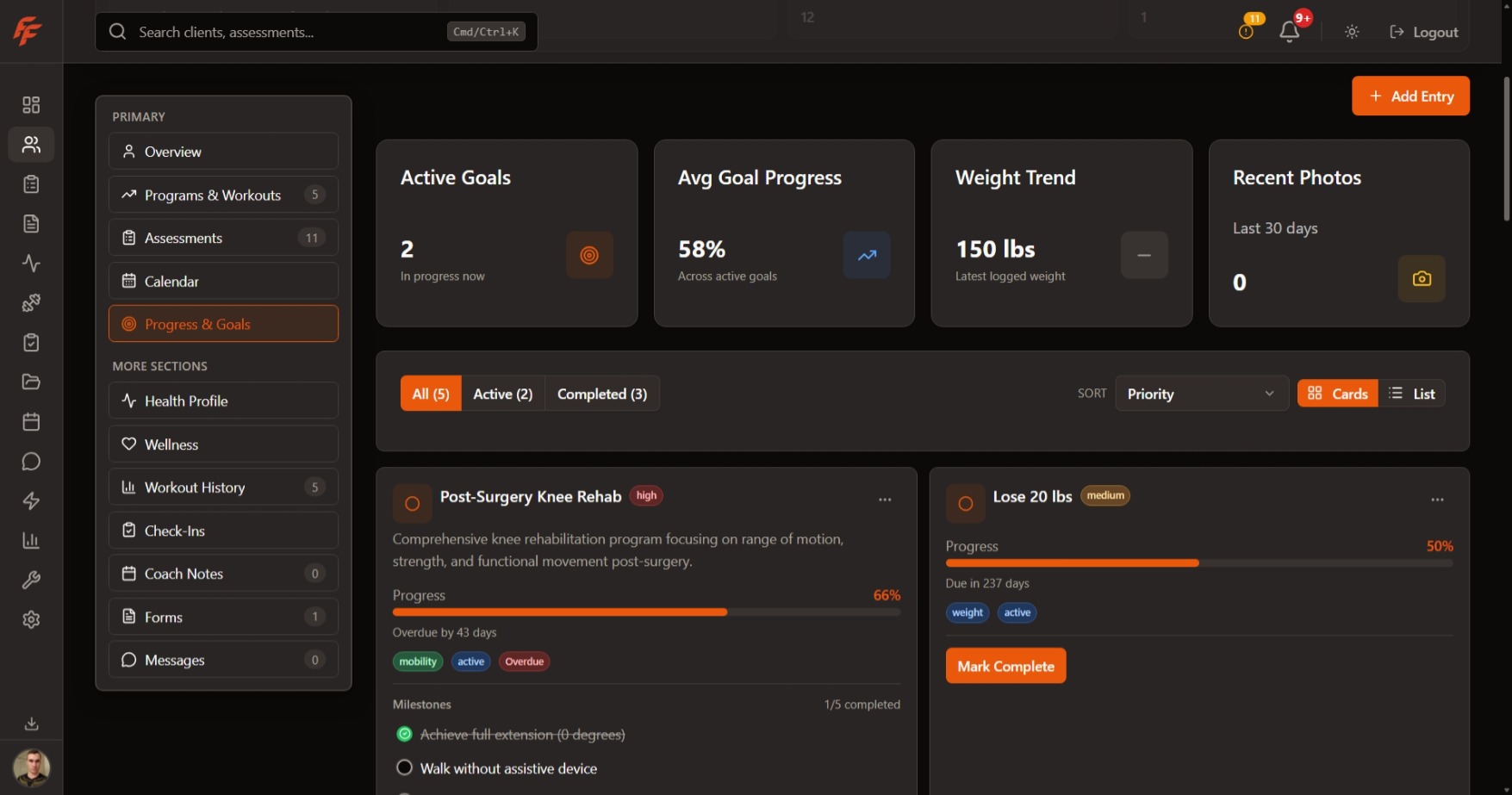
Review active, completed, and milestone progress before deciding what the next coaching note should cover.
Bring photos, measurements, strength PRs, and goal milestones into one coaching view.
Progress review
Photos, strength, and active goal context in one place.
Progress photos
12
front, side, and back entries
Weight trends
-4.8 lb
over the current coaching block
Measurements
7
tracked body metric updates
Active goal
Build a stronger deadlift while reducing waist measurement.
Progress reviews work better when clients and coaches can see the same story. Fitflux keeps progress photos, photo comparison, weight trends, body metrics, measurements, and progress notes close to the client record.
Compare progress photos while reviewing weight, measurements, and body metric changes from the same period.
Keep progress notes attached to the timeline so context stays available when the next review happens.
Logged training can feed a strength story clients understand: personal bests, PR lookup, rep-max history, recent milestones, and estimated 1RM trends.
Strength progression
Deadlift
New 5RM PR
245 lb
Estimated 1RM trends up 12 lb
Bench Press
PR lookup
165 lb x 3
Rep-max history available
Back Squat
Recent milestone
205 lb
Personal bests stay visible
Estimated 1RM trends and milestone feeds give coaches a better way to talk about strength progress than a single latest set.
Start with goal templates or custom targets, then keep active goals, completed goals, milestones, and completion requests tied to the support that helps the client move.
Coaches can create goal paths that are clear enough for clients to follow and specific enough to review.
Coaching focus
Improve deadlift strength while supporting recovery habits.
Completion request
Client note, milestone state, and supporting context stay close enough for the trainer to approve, dismiss, or adjust the plan.
The trainer Progress & Goals workspace brings goal analytics, coaching focus, support coverage, linked training, linked nutrition, linked habits, and assessment evidence into one review surface.
Review active, completed, and milestone progress before deciding what the next coaching note should cover.
Choose one active goal as the current focus so plan support and client conversations stay pointed at the same outcome.
See whether the goal is supported by training, nutrition, habits, or assessment work before opening the next workflow.
Clinical Assessments
Run 20+ structured assessments, compare results over time, and keep testing connected to coaching decisions.
Habits
Assign habits, review streaks and adherence, send nudges, and keep daily routines connected to goals and follow-up.
Nutrition
Build nutrition plans, assign them to clients, and review planned meals, barcode/manual logs, saved meals, photo estimates, hydration, and supplement context.
Choose the platform plan that fits your active-client roster. Keep client progress, goal context, and coaching follow-through close enough to guide the next decision.
Join Waitlist